In the first part (HERE), we found out that in almost all situations the Apple camera app was the best solution. Since that, I have had the chance to really test the iPhone 11 Pro and see just how good Deep Fusion is, plus answering a question that most photographers want to know. Can the iPhone replace my compact camera?
I will be comparing it to two powerhouse compact cameras, the RX100 V and the Ricoh GR III. A few years ago, this would have been a stupid comparison…
But before that, let’s just touch on Deep Fusion and Night Mode and see what all the fuss is about.
Q: Is it a good thing?
A: Yes. When it works.
Q: When does Deep Fusion work?
A: In mid to low light. It’s automatic, and Apple decides when you get it.
I have used quite a few animated GIF images through this, as it illustrates the difference between images nicely. GIF images are lower quality but the differences are still plain to see. I have also added various TIFF file links for you to download and view for best quality.

When Apple announced Deep Fusion there seemed to be confusion over the megapixel count of Deep Fusion… So is there 24 megapixels of detail? No. Is is ground-breaking and revolutionary? No, but it is significantly better than an image without Deep Fusion. To what degree though, does tend to be highly situational. More on this below…
Night mode kicks in, in lower light, but by no means only at ‘night’. It actually gives you the option to select it in far brighter conditions than you might think. You can also force it on sometimes, just by moving the camera to focus on a darker park, then recomposing.
Night mode and Deep fusion have their own benefits, and often you can chose between them as the lighting conditions that they both operate in overlap greatly.
The image to the left is in good light, brightly lit with a daylight bulb and soft-box, the image to the right is in normal indoor light, which I would class as low light.
I will go into Night Mode vs Deep Fusion more in later comparisons, but a few initial theories:
Notice: Different megapixels, aspect ratios and focal lengths are headache worthy, so some cropping and down sizing had to take place. Plus I have sharpened any RAW image to roughly match JPG output to keep things as fair as can be.
All images resized to match the 12MP output of the iPhone for easy comparison. So bear in mind that both the Sony RX100 V and the Ricoh GR III deliver far more resolution than this generally.
Try not to focus too much on the difference in colour and exposure, but more the resolution and clarity. After all, colour and exposure can be altered in post.
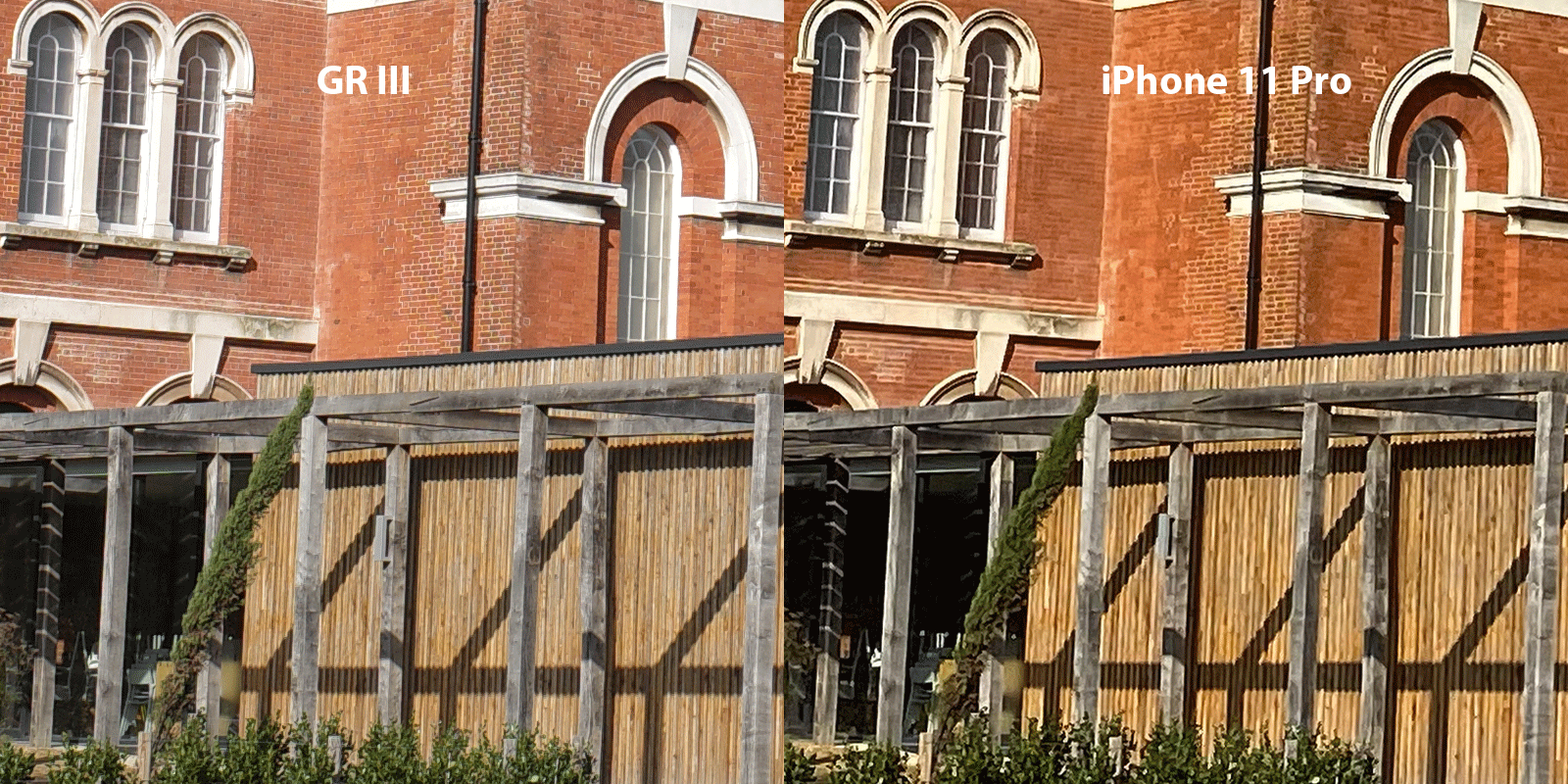
The iPhone 11 Pro’s main lens the 26mm, has the largest sensor and best overall image quality. You can see the iPhone is a stellar performer and holds up very well at 100% magnification, and even at 200%. You can see some finer detail if you look closely at the RX100 V and GR III images, with the GR III being best overall.
Just for fun, as well as the normal 12mp comparison, I have also enlarged the iPhone 11 Pro image to roughly 24 Megapixels and have created a comparison above on the right. I used Adobe’s ‘Preserve Details 2.0’ for the enlargement, one of the best ways to enlarge an image.
Considering it’s tiny sensor, it enlarges extremely well.
Click the left button below to download a TIFF file showing comparisons at 12mp quality. Due to different aspect ratios, the actual dimensions of the file are smaller as I have cropped out the uneven edges.
The 24 megapixel (equivalent) TIFF file is available on the right
Both the Ricoh GR III and the Sony RX100 V overexposed the highlights on the JPEG images, so the RAW was needed to rescue them.
The iPhone image was exposed perfectly, as always.
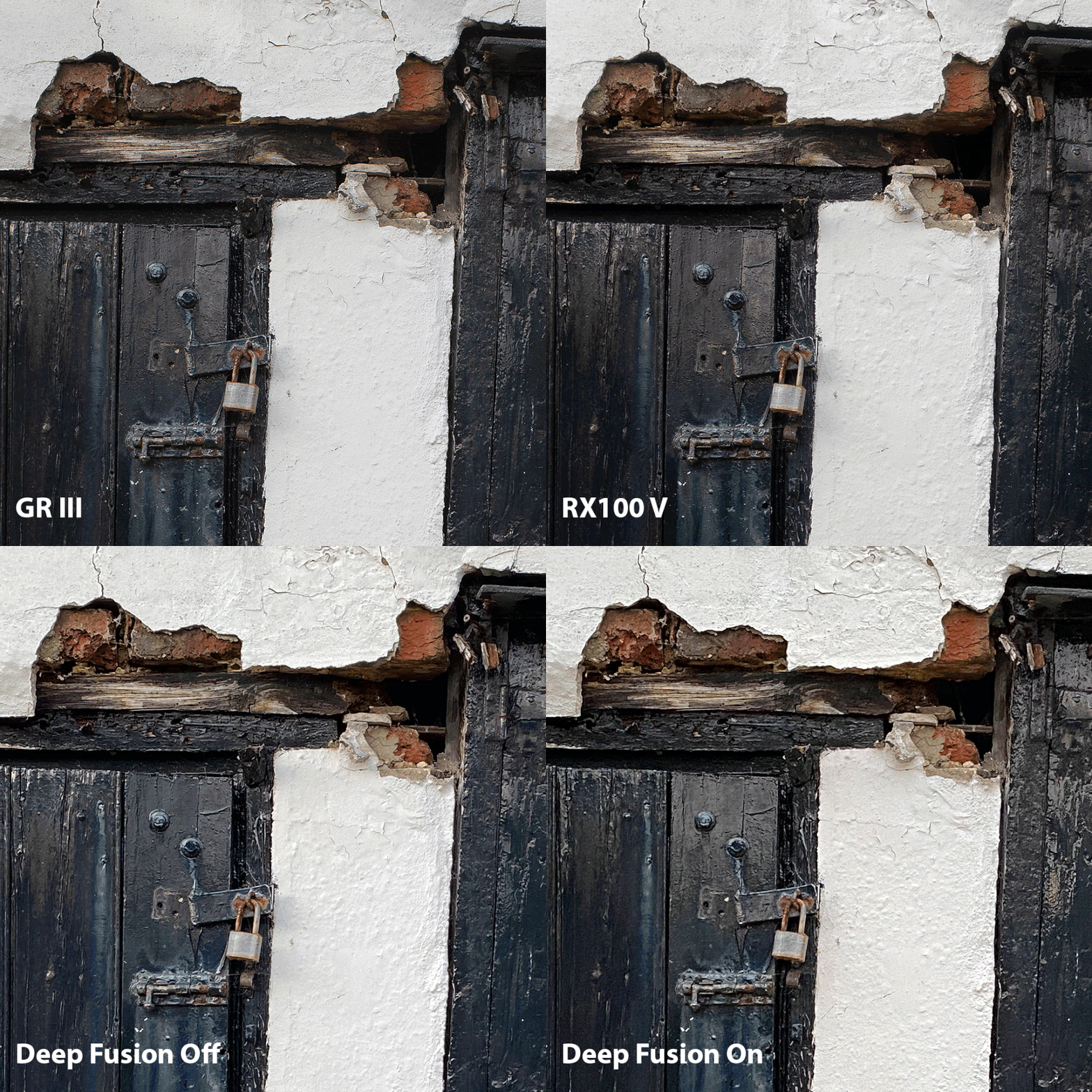
Deep fusion can be frustrating as it is hard to tell when it’ll kick in. I tried to force it on by turning off ‘smart HDR’ and ‘capture outside frame’ but nothing worked. I went back and took the same image just as the sun had set (lower light) and voila, Deep Fusion kicked in. But, as you can see in the comparison below there is little difference between the two iPhone images.
Image below is over 100% magnification. Download TIFF file below for better comparison
In terms of sharpness and detail, every part of the image on the GR is better than both RX and iPhone. It is hardly surprising considering the huge sensor and fixed prime lens. The RX100 is still better than the iPhone though, and this for me is really where I want to be able to activate Deep Fusion myself, in plain ‘good light’.
For those who want to view a larger file at their own leisure, click below for the TIFF stack. I have aligned the layers to make it easier to compare, hence the uneven borders. Don’t expect visual art.
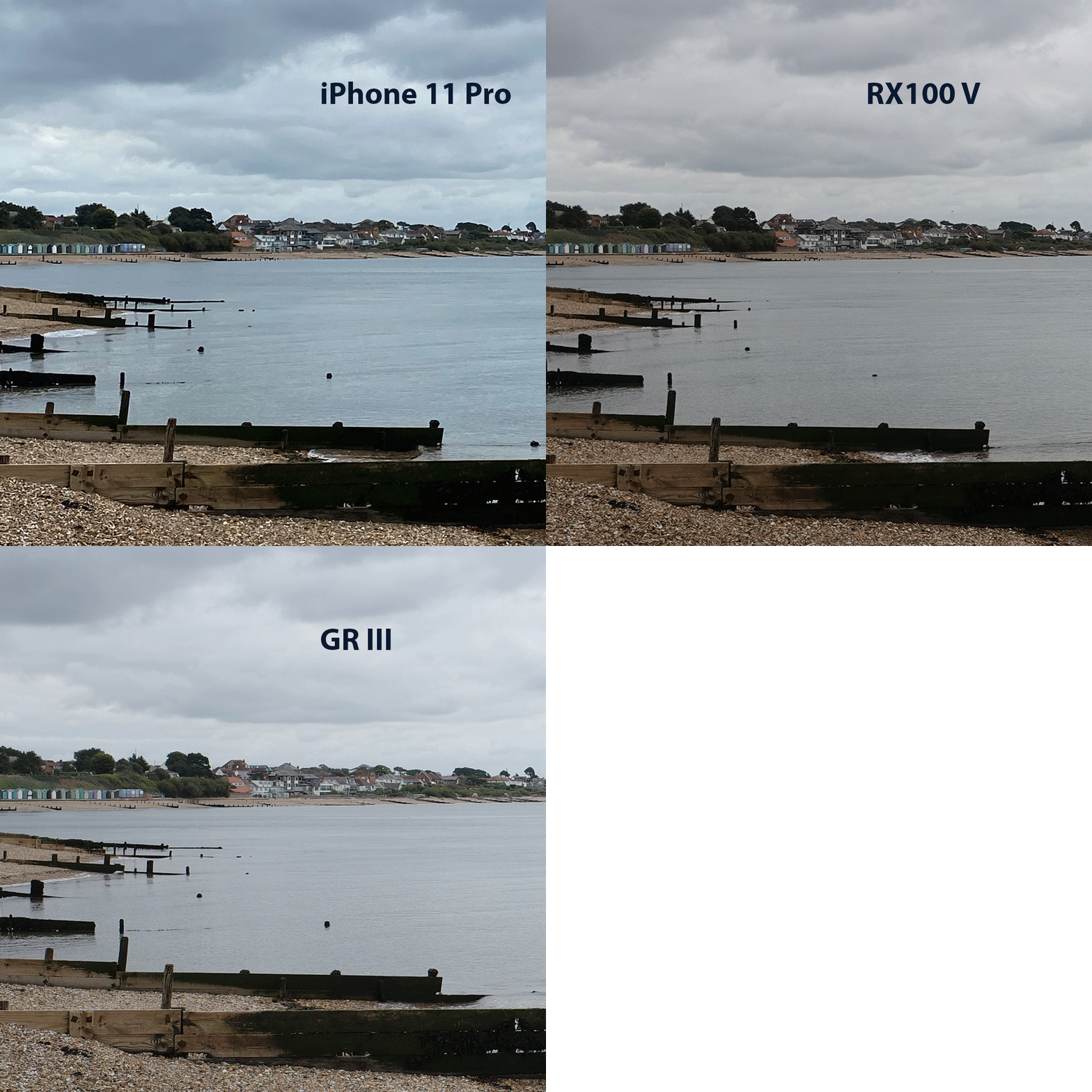
Another example showing the iPhone in 3rd place in terms of detail and resolution. It cannot quite compete with the larger, sharper optics and larger sensors. But, if we are not comparing the images at over 100% like the animation above, then the iPhone 11 Pro holds up exceptionally well. In terms of exposure and colour straight out of the camera, the iPhone is better, significantly. This is really where the Smart HDR and Apple’s processing starts to take centre stage.
The room was fairly dark. Deep Fusion still produces a better image with better resolution than without it. Night mode, although a tad oversharp and less subtle is probably starting to take over from Deep fusion now. Apple does do a good job of deciding when night mode might be worth selecting.
An animated image on the left for easy comparison. Click on the button on the right for a cropped stacked TIFF file showing a comparison. The RX100 V and GR III images have been resized to match the iPhone’s 12mp camera.
Comparison significantly above 100% to show the difference in noise and detail.
Smartphones have already won over most of the compact camera owners and especially those who are not inherently passionate about photography yet still want to take great pictures. They have done this by giving fantastic out of camera colour, blended exposure and contrast with no effort at all. And results like the above go a little way to winning over the rest of us.
Disclaimer: The text below will link through to amazon and are paid affiliate links.
Computational photography without doubt goes a long way to closing the gap between phones and expensive cameras. But, those wanting to spend time post processing images and getting the very best images, a stand alone camera is definitely recommended.
The Wide angle and Tele Photo options both have a couple of limitations.
In a similar fashion to the Deep Fusion tip above, Night mode can be forced into action too if you wish. It is also much easier to see that it worked.
To enable Deep Fusion, like the video shows, focus on darker parts of the image and then reduce the exposure to bring the exposure down so you don’t blow the highlights.


In this light the iPhone is pretty superb. The RX100 is naturally softer at this focal length but it’ll sharpen up very well in post if needed. Impressive. Remember though, this is at 12mp, not the native 20mp of the Sony RX100 V.
The tele lens is brilliant on the iPhone 11 Pro, but you do have to buy the Pro model in order to use it. It is a shame that it has a smaller sensor but I guess Apple don’t charge enough to put two ‘huge’ 1/2.5 inch sensors in one device, right? 🤔
Deep Fusion also seems to kick in at slightly brighter conditions than with the main camera. This is the reason that I wouldn’t bother using any 3rd party apps with the tele lens, none of them have Deep Fusion and none give you anywhere near the HDR performance of the Apple stock app.
I am sure you will agree that at least at 12 Megapixels, it holds up very well to the RX100 V.
The good old overused term, HDR. I hate the ghastly, over-processed ‘HDR’ look, but being able to capture every bit of data in the shadows and highlights all in one frame is pretty awesome. The end result is a photo that looks pretty unrealistic but it means that you have a tonne of leeway for editing if you so wish.
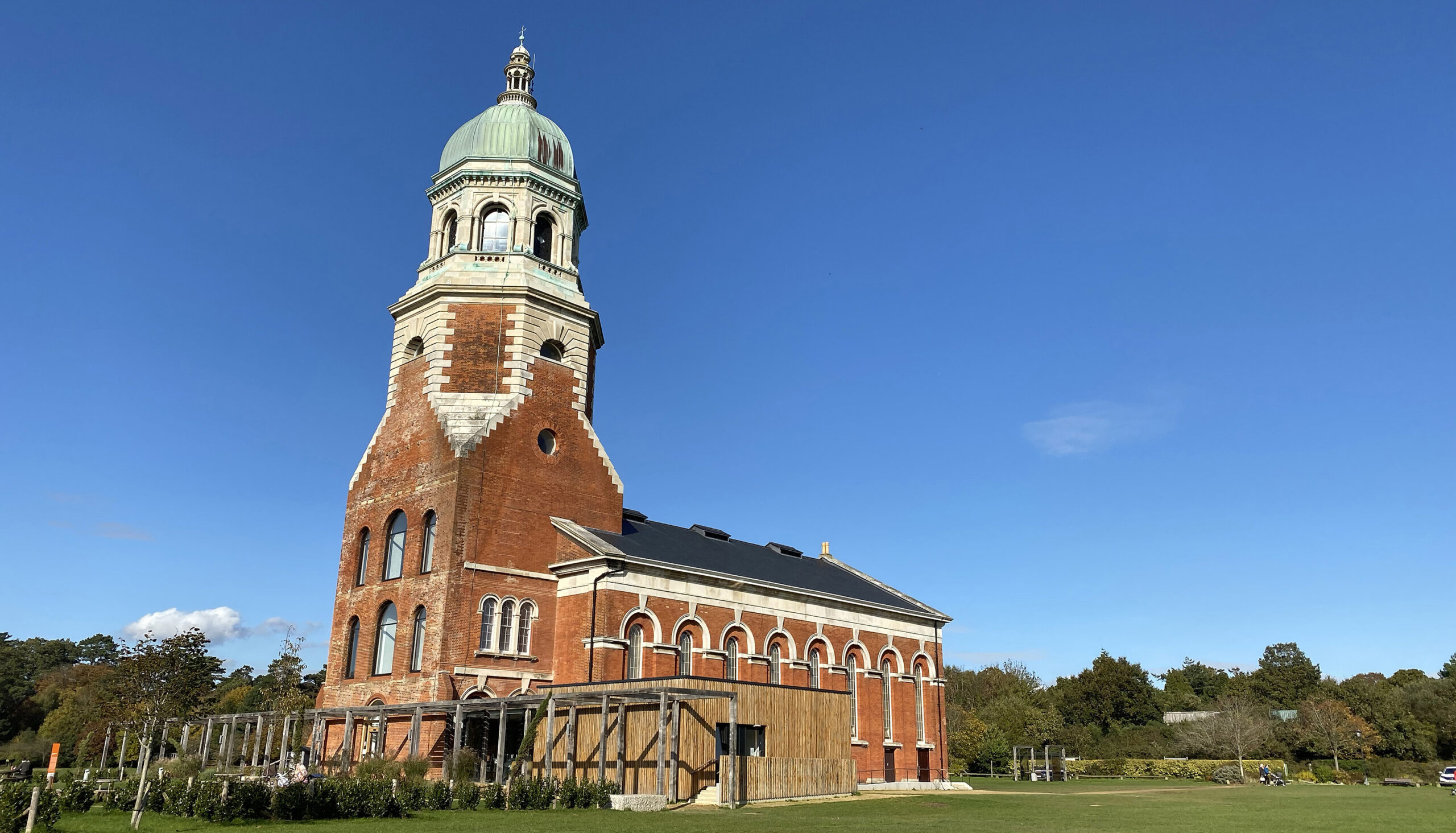
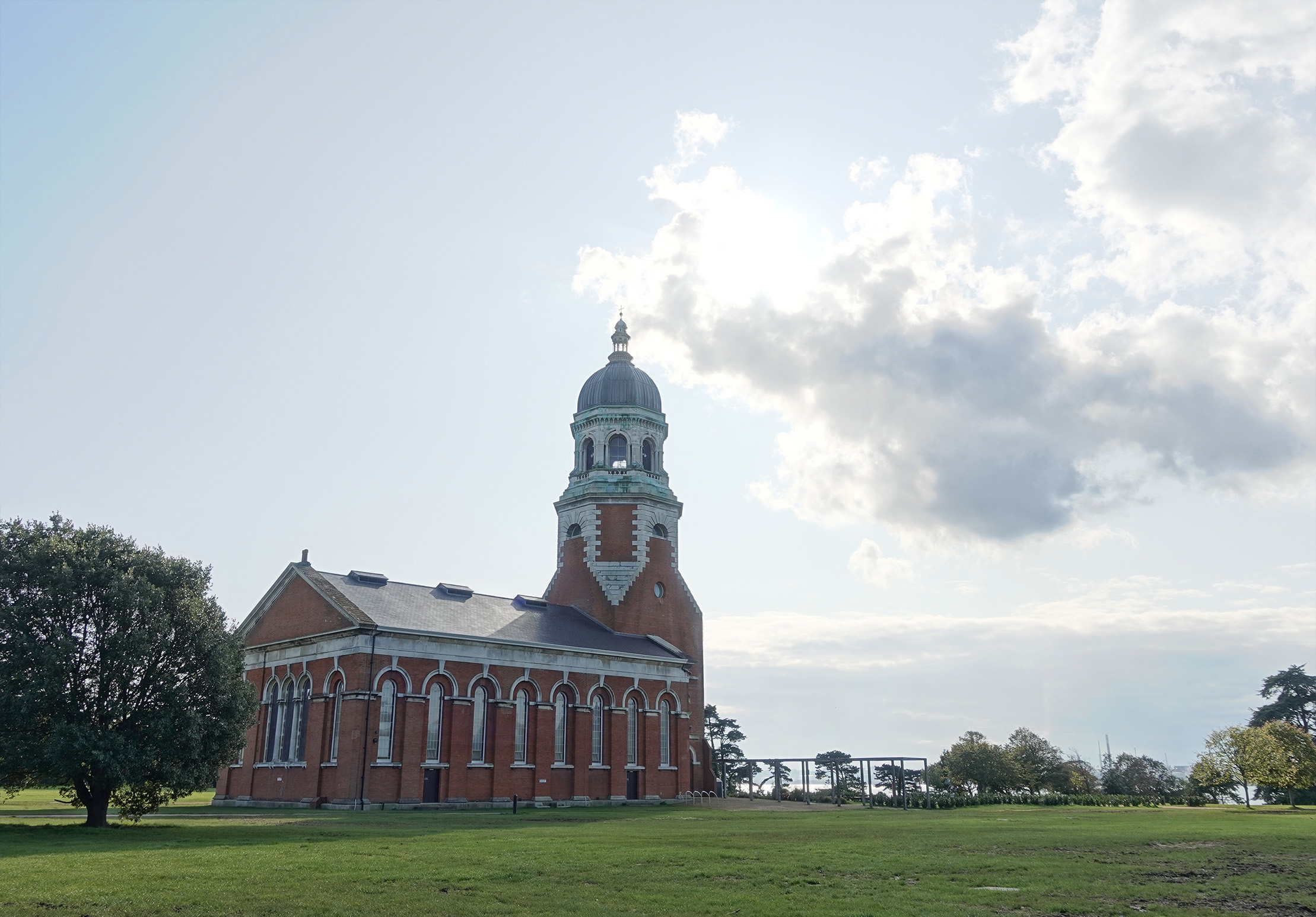
These images below are from the auto HDR settings in both the Sony RX100 V and the Ricoh GR III. It was extremely bright with a huge difference between the bright sun and dark shadows of the chapel. Probably about the most challenging scene for a camera to capture in a single frame.
You can see clearly that the iPhone with it’s tiny sensor just captures pretty much every bit of shadow and highlight detail. Thank ‘computational’ photography for that. Sure you can get the same (actually better) results by bracketing several exposures and blending them together in Photoshop (or similar), but at the cost of time and effort. Two things that the majority of smartphone users understandably won’t commit to.
The RX100 does a relatively good job and just about managed to salvage the sky. The Ricoh is just awful by comparison, but I don’t think their HDR mode is an image blend, more like a stylised picture.
Not perfectly, unfortunately. At least from a technical standpoint. There is no Night Mode and no Deep Fusion with this 13mm lens so you are relying on Smart HDR and whatever processing Apple decided to apply. For this reason, I thought I would try a couple of apps to see if there is any way to improve the image quality from the ultra wide.
Note: The ultra wide doesn’t permit RAW but a couple of apps allow for a Lossless TIFF file to be saved instead.

You can see from the above comparison, that the Moment TIFF output is poor compared to all three of the others. The Halide TIFF is probably my pick of the bunch, with more detail in the dark areas of the windows, however nothing is hugely different. From shooting a number of comparisons the Halide TIFF seems to brighten the image slightly, which might be why it appears to have more detail.
The wide doesn’t play nicely with higher ISO either. It’s essential to keep the ISO below 40, ideally 20 ISO. As you can see ISO 80 is poor with noticeably softer detail and high noise especially in the corners of the image. However, Moment for some reason doesn’t play nicely with TIFF files. They’re much better with HEIC and opt for sharpness over noise reduction which for some might be preferred.
You can click on either of the below buttons to download a larger image stack.
A quick shout out to Moment. They have a super app, that is really well designed and probably my favourite to use. But the output for some reason isn’t quite on par with Lightroom / Manual Camera / Halide it seems. I hope this is a quick fix for them and could even be to do with the iPhone Beta software I am using… But I love their videos and passion on pushing mobile photography.
Disclaimer: The text below will link through to Amazon and Carphone Warehouse and are paid affiliate links.
I thoroughly recommend the iPhone 11 Pro, or the 11 for that matter. All of the latest devices seem to be pushing the boundaries of what is thought possible from such small optics and sensors. To buy the iPhone 11 Pro or the 11, click on the affiliate links below.
If iPhone’s are just not your thing, I would suggest looking at the Google Pixel 4, which I hope to get my hands on in the near future.